How to be good on camera in a video testimonial
For the person being interviewed. How to set up your space and your phone, and how to come across like yourself, none of which involves performing
 7 min read
To be good on camera in a video testimonial, sit somewhere quiet with a window in front of you, a tidy background that says a little about you, and your phone on a tripod at eye level, turned sideways and framed a little wide. Then look at the phone and just talk, answer in full sentences and use names rather than "they". If you stumble, pause and start the sentence again.
If you've been asked to do a customer story and you're reading this the night before, first of all, thank you, and second, you'll be fine. The people who worry most about being on camera tend to come across best, because they care about getting it right, and the interviewer's whole job is to make it feel like a conversation.
Nothing below involves performing. You don't need more energy than usual, you don't need to be funny, and you don't need to prepare answers. These are the small practical things that let you come across the way you do when you're explaining something to a colleague over coffee.
The whole interview happens on your phone, in the free Riverside app, so there's no laptop to set up and nothing to plug in. I've split the tips into setting up your space, which is where most of the difference is made, and what to do once we're talking.
Setting up your space
1. Pick a spot that says something about you
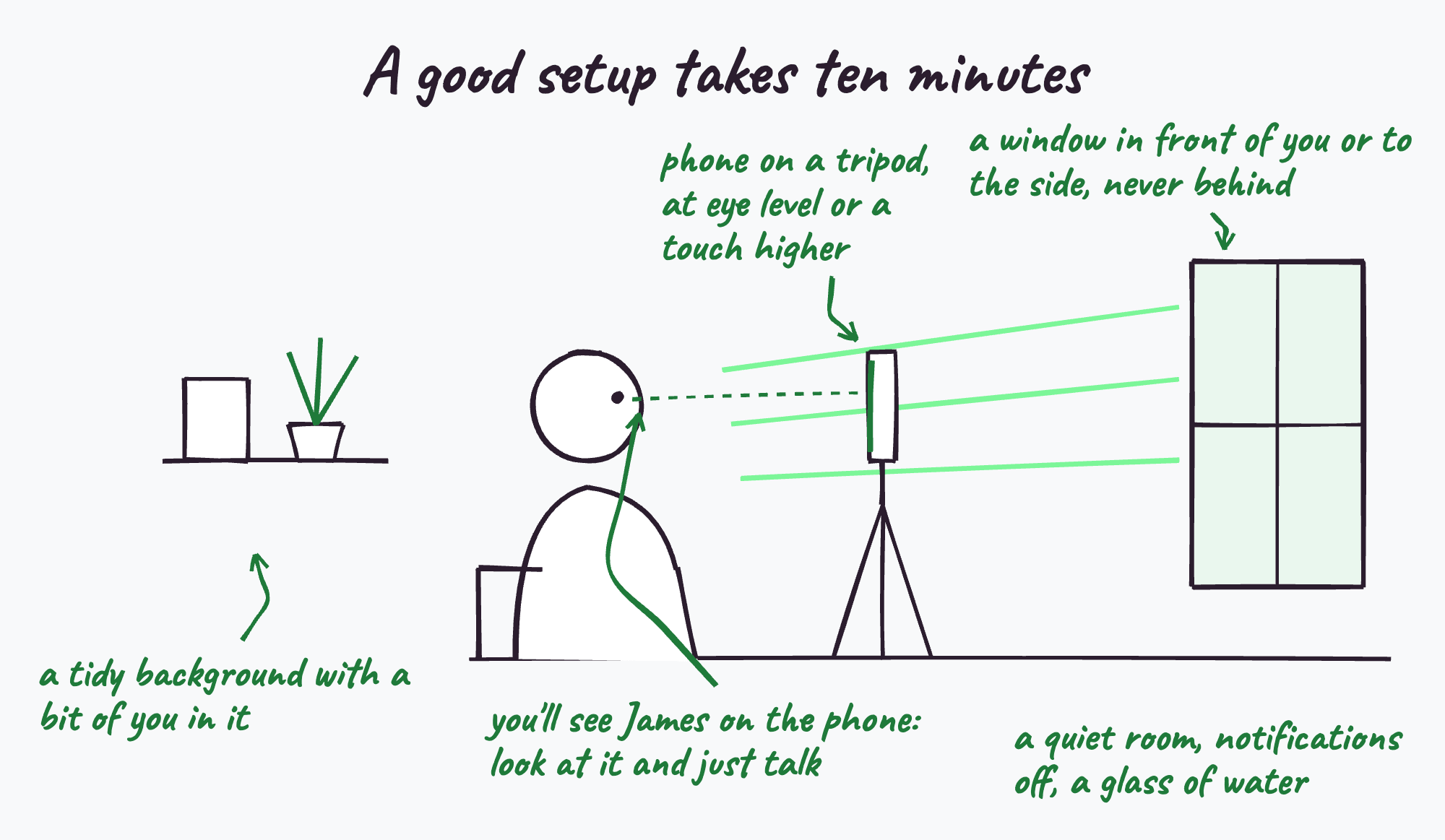
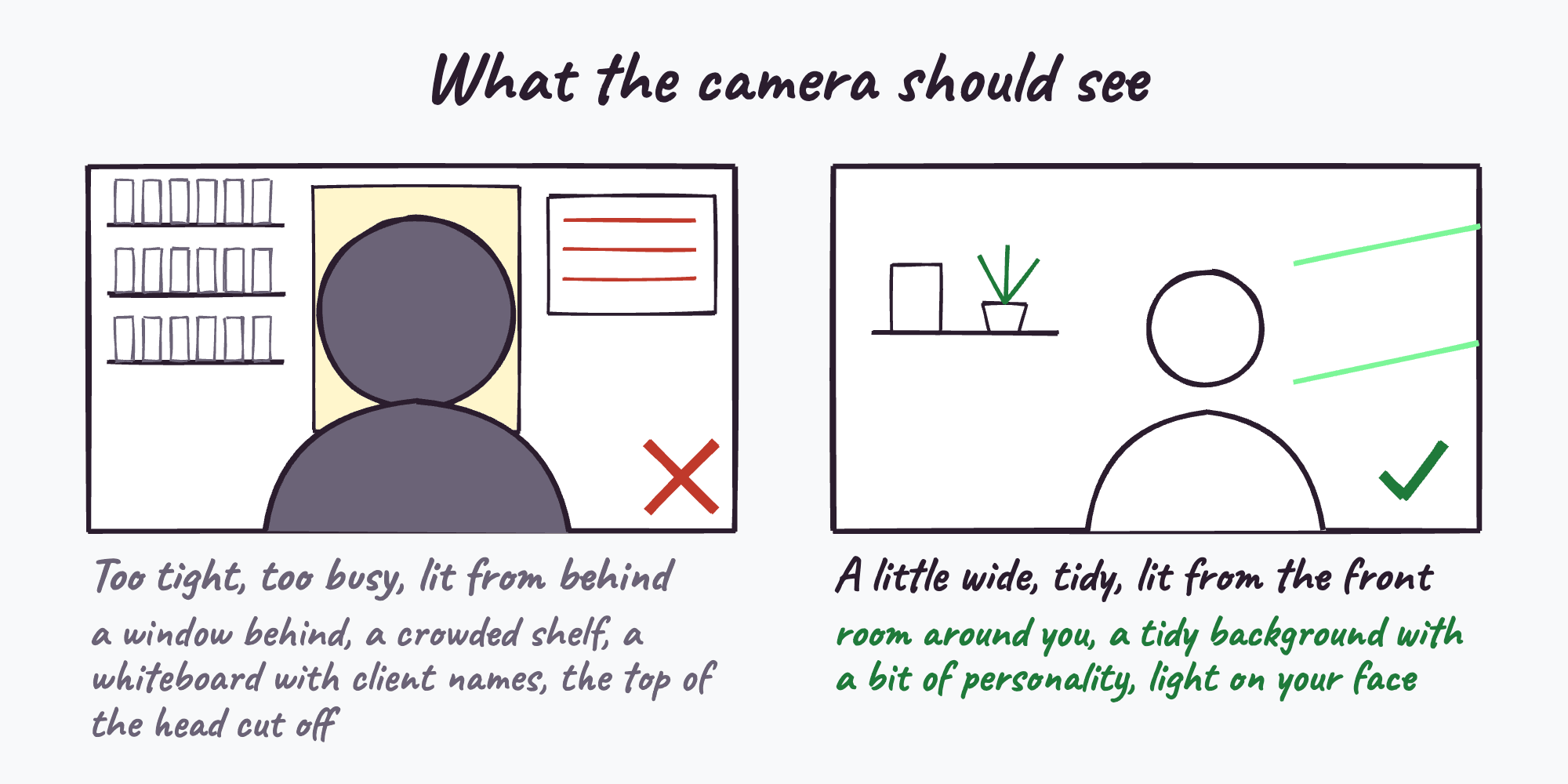
The best backgrounds give away a bit of personality. Your own office or place of work is ideal: a bookshelf, a plant, your company's sign on the wall, the room people would actually find you in. A viewer who can see where you work believes the story a little more than one looking at a blank wall. The only rule is that it can't be busy.
2. Clear what's behind you
Before we start, look at your background through the phone rather than over your shoulder, because the camera notices things you've stopped seeing. Move piles of paper, cables and boxes out of shot. Check for whiteboards, sticky notes or screens showing client names, figures or anything confidential. Make sure nobody will walk through behind you. If you can, sit a metre or two in front of the wall rather than right up against it, which gives the picture a little depth.
3. Face the light
Natural light on your face is the single biggest thing that makes a video look good. Sit with a window in front of you or off to one side. Never with one behind you, because the camera will expose for the bright window and turn you into a silhouette. Try to avoid sitting under a single overhead light, which puts shadows under your eyes. If the room is dark, a lamp in front of you and slightly to the side does the job.
4. Put the phone up high
Set the phone on the tripod at eye level or a touch above, never lower. Stack a few books under the tripod if you need to. A phone looking up at you from the desk is unflattering for everyone who has ever lived.
5. Turn it sideways and frame a little wide
Turn the phone sideways, then frame yourself from roughly the middle of your chest upwards, with a bit of space above your head and some room either side. Go slightly wider than you think you need. The editor can always move in closer and needs some room to make the shorter clips, but nobody can add back what the camera never saw.
6. Keep it steady and charged
Use the tripod rather than holding the phone or propping it against a mug. Charge it fully or plug it in, make sure there's some free storage, and open the Riverside app a few minutes early so we can check the picture and sound together before we start.
7. Find the quietest room you can
Soft furnishings help and echoey rooms don't, so a meeting room full of glass is worse than a small office with a carpet. Close the door, turn off a noisy fan if you can, and put a note on the door if people tend to wander in.
8. Silence everything else
Put the phone into do not disturb, and silence anything else in the room that pings: your computer, your watch, the desk phone. A notification in the middle of your best answer is annoying for everyone.
9. Water, and what to wear
Have a glass of water nearby, because talking for 45 minutes dries your mouth out more than you'd think. Wear what you'd wear to a client meeting. Plain colours work better than thin stripes or busy patterns, which can shimmer on camera.
During the interview
10. Look at the phone and just talk
You'll see me on your phone, so look at the phone and talk to me the way you would on any video call. There's no need to hunt for the lens or hold eye contact with it, and no need to perform. It's a conversation, and it looks like one on film.
11. Answer in full sentences
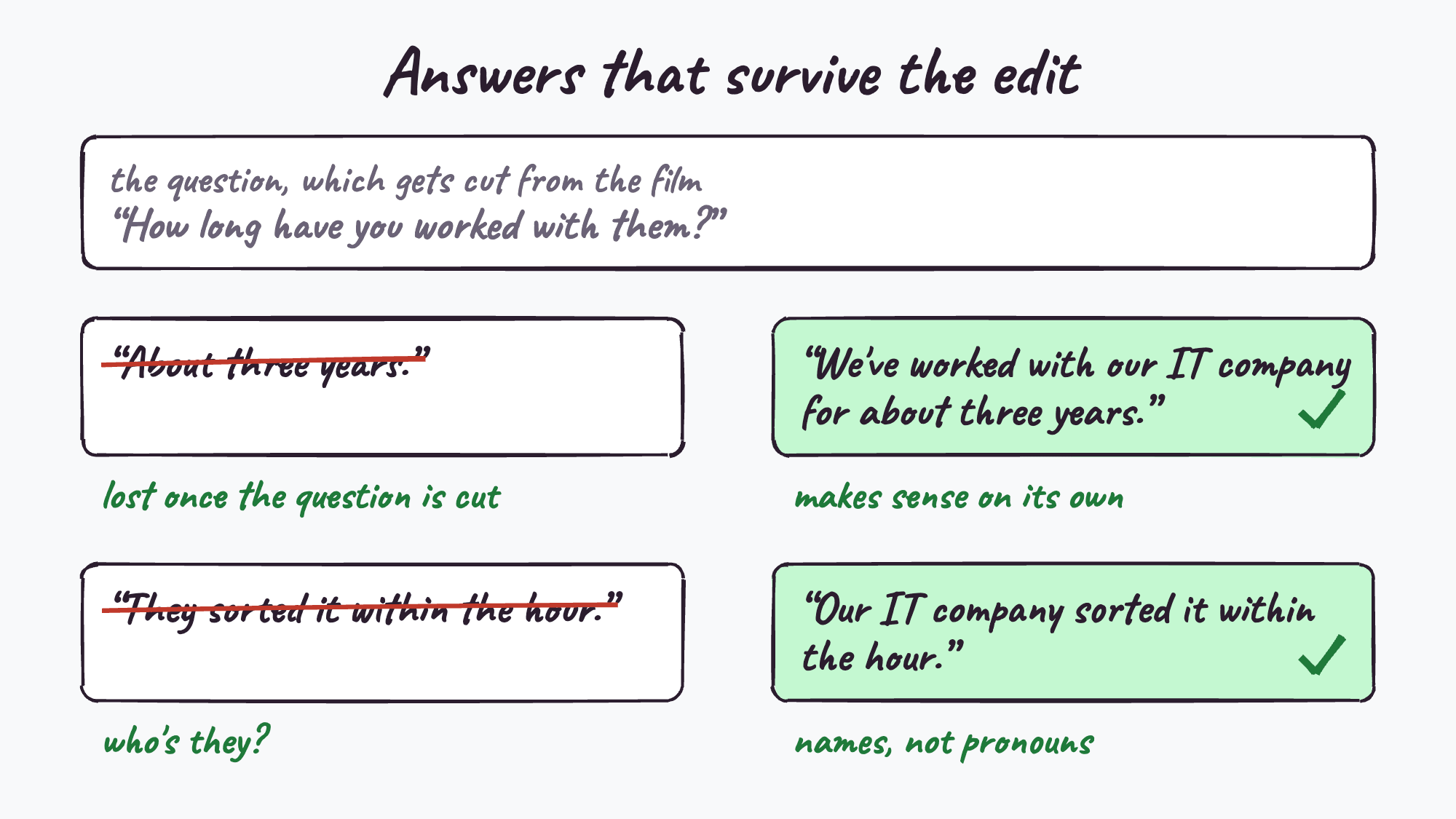
The interviewer's questions get cut out of the final film, so your answer has to make sense on its own. If you're asked how long you've worked with the company, "about three years" is lost in the edit, while "we've worked with them for about three years" can be used.
12. Use names rather than "they"
For the same reason, say the name of the company, the product or the person, at least the first time in each answer. A clip that starts with "they sorted it within the hour" leaves a viewer wondering who "they" are. One that starts with the company's name doesn't.
13. Tell a story rather than a list
The answers that end up in the film are nearly always a specific moment: the day something went wrong, the phone call, the week of the office move. If you're asked what's better now, think of one time that showed it and describe that. If the interviewer says "take me back to that day", they're not trying to catch you out, it means you've just said something good.
14. If you stumble, pause and go again
It's recorded, not live, and it gets edited. If a sentence comes out tangled, stop, take a breath and start it again from the beginning. Nobody will ever see the first attempt. The same goes for anything you'd rather not have said: tell the interviewer and it won't be used.
What happens afterwards?
Your part is done when the call ends. Over the next few weeks I choose the moments from the recording and write the notes, an editor cuts the film and everything made from it, and people review all of it. Then, before anything is published, the company that asked you approves it, and then you approve it. If there's something you're not comfortable with, you say so and it changes.
You'll usually get something to share, too: in the stories we make, the customer gets a LinkedIn post in their own voice and a short piece about their own outcome for their company's website.
Questions people ask
Do I need to prepare for a video testimonial?
No. You'll get the questions in advance if you'd like them, but there's nothing to memorise and prepared answers tend to sound stiff. The interviewer guides the conversation.
What's the best background for a video testimonial?
A tidy one that says a little about you, such as your own office or place of work, with nothing busy, confidential or moving behind you, and a window in front of you or to the side rather than behind.
Where should I look during a video testimonial?
At the phone. You'll see the interviewer on screen, so look at the phone and talk as you would on any video call.
What equipment do I need?
A reasonably recent smartphone with the free Riverside app, a quiet room with some natural light, and a tripod to hold the phone steady at eye level. For our interviews we post a small tripod to you in advance.
What if I say something wrong during the interview?
Pause and say it again. The interview is recorded and edited, and you approve the finished film before it's published, so nothing you're unhappy with goes out.
How long does a testimonial interview take?
Plan for about an hour: ten minutes or so to set up and the interview itself, which runs for around 45 minutes.
Related reading
- How a remote video testimonial works
- Testimonial interview questions for MSPs
- What if my client says no to a testimonial?
Asked a customer to do a story and want to send them something reassuring? This page is written for them.
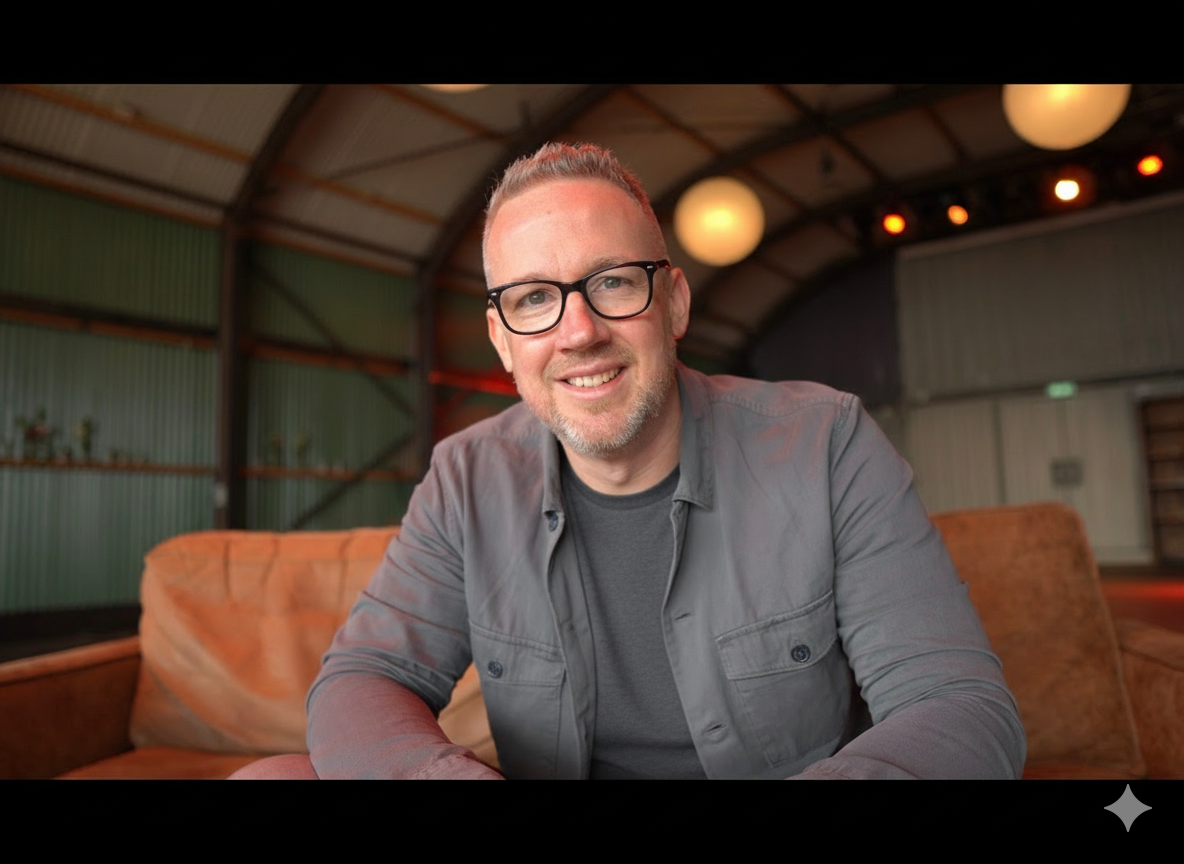
See how the whole process worksJames interviews MSP and tech vendor customers for a living and runs MSP Testimonials, the interview-led testimonial service. If a customer of yours has a story worth telling, this is how it gets told.